
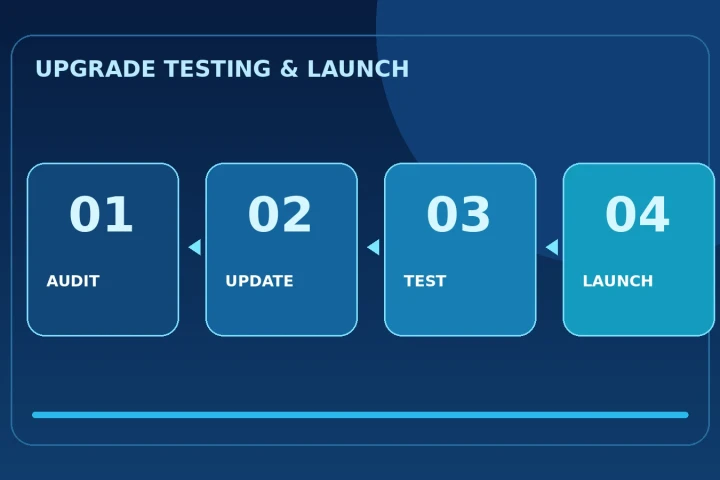
Drupal 10 reaches end of life on 9 December 2026. An upgrade to Drupal 11 is a manageable project when dependencies, content, hosting and release procedures are checked early. This checklist is designed for website owners, developers and editorial leads who need to agree what “ready to launch” actually means.
1. Record the starting point
Capture the current Drupal core version, PHP runtime, database engine, Composer lockfile, hosting architecture, deployment method and module inventory. Note custom modules, patches, themes and external services. Record important user journeys such as sign-in, search, forms, commerce, publishing and scheduled jobs. Without this baseline, an upgrade can appear complete while silently breaking a workflow.
- Back up the database and public/private files and test a restore.
- Export configuration and preserve the Composer lockfile.
- List contributed and custom modules, themes, patches and integrations.
- Identify the people who approve editorial, technical and commercial sign-off.
2. Audit Drupal 11 compatibility
Run Upgrade Status and inspect deprecated API usage in custom code. Review each contributed module for a compatible maintained release and check whether old patches are still required. Drupal Rector can help with certain code transformations, but automated changes still need review and tests. If a module has no viable upgrade path, decide whether to replace, retire or rebuild its functionality before committing to a date.
Review the destination Drupal 11 release’s published PHP, database and dependency requirements. Do not assume that a server which runs Drupal 10 is ready for Drupal 11. Hosting upgrades, search backends, caching services and command-line tools may need coordinated changes.
3. Separate upgrade work from optional redesign
A major-version upgrade does not have to include a complete redesign. Decide what must change to stay supported and what is a separate improvement. If the existing theme relies on deprecated components or an abandoned base theme, some front-end work is unavoidable. Otherwise, protecting a familiar editorial experience may reduce project risk and speed up approval.
4. Prepare staging and automated checks
Build a staging environment that reflects production closely enough to expose dependency and infrastructure issues. Restrict email delivery and third-party side effects in staging. Establish smoke tests for the highest-value journeys and a repeatable deployment process. A test that checks the homepage loads is not enough for a site with membership, payment, search or content approval workflows.
- Authentication, roles and permissions.
- Content creation, revision, moderation and scheduled publishing.
- Forms, notification emails and external API connections.
- Media upload, search, navigation and multilingual content.
- Checkout, subscriptions or account workflows where relevant.
5. Protect SEO before the release
For a version upgrade that preserves the same information architecture, aim to retain existing URLs and metadata. If the project also changes content types, aliases or navigation, inventory organic landing pages and backlinks before launch. Map each changed URL to a relevant new destination with a permanent redirect. Review canonical tags, meta titles, structured data, robots directives, XML sitemaps and internal links.
Search traffic can fluctuate after significant changes. A good migration plan does not promise fixed rankings; it creates baselines and checks that allow the team to diagnose crawl errors, broken redirects or indexing issues quickly. Compare Search Console data and analytics after launch, particularly for business-critical landing pages.
6. Rehearse the upgrade and sign off
Run the upgrade in staging using the same commands and configuration intended for production. Record warnings, update hooks, database changes and deployment duration. Test against representative content and accounts. Resolve blockers and repeat until the procedure is predictable. Document what would trigger rollback and how data changes would be handled if the release were reversed.
7. Plan cutover and post-launch care
Choose a release window based on traffic and operational dependencies. Confirm backups, maintenance notices if needed, owners for deployment and testing, and monitoring access. After deployment, verify the site version, logs, forms, scheduled jobs, redirects and key journeys. Keep a short period of heightened monitoring so issues are addressed while the project team is still available.
- Confirm restore points and the rollback decision owner.
- Deploy with a recorded, repeatable procedure.
- Run post-launch smoke tests and review error logs.
- Check indexing, redirects, analytics and critical conversions.
- Document remaining improvements and establish the next maintenance cycle.
What if the site is still on Drupal 7?
Drupal 7 reached end of life in January 2025. A move from Drupal 7 to Drupal 11 is generally a migration to a new Drupal application, not the same process as a Drupal 10 to 11 upgrade. Content types, fields, users, media, URLs and integrations need mapping and validation. Read our dedicated Drupal 7 migration service at /services/drupal-7-migration for that path.
How Drupal Builder can help
Drupal Builder offers readiness reviews, dependency remediation, custom module updates, migration planning, staging tests, SEO continuity checks and controlled releases. We start with the current site and its constraints rather than a one-size-fits-all package. Explore /services/drupal-upgrades-migrations for the full service, or send your site URL and current version through /contact to discuss the next step.
Establish a dependency and release decision record
Before the first Composer update, create a versioned decision record. Include the core target, current and proposed PHP versions, database requirements, hosting dependencies, installed modules, custom code ownership, patch inventory and deployment commands. Identify which packages are hard blockers, which are optional improvements and which have compatible alternatives. This prevents teams from repeatedly debating the same dependencies during implementation and gives stakeholders a clear view of risk.
For each blocker, record evidence: a maintained release, a passing compatibility scan, a tested patch or a decision to replace the feature. Avoid interpreting a module's compatibility declaration as proof that all its integrations work. An installed package may support Drupal 11 while a custom event subscriber, theme override or API integration still depends on behaviour that has changed. Confirm compatibility in the actual application.
Use a controlled Composer workflow
Commit composer.json and composer.lock before changes. Work on a branch, apply dependency updates deliberately and review conflicts rather than using broad version overrides to force installation. Revisit custom patches: some are obsolete, some no longer apply and others need to be reworked against newer package versions. Record any temporary compatibility workaround with an owner and removal plan.
After dependency resolution, run database updates, configuration imports and cache rebuilds in the same order planned for production. Keep the process scripted where practical. A deployment that succeeds only because a developer made an undocumented manual change on staging is not ready for release. The goal is a reproducible build that another authorised engineer can execute and audit.
Assess custom modules and deprecated code
Review custom controllers, plugins, services, forms, event subscribers, entity hooks and theme integrations. Use Upgrade Status and suitable static analysis to find deprecated API usage, then inspect business-critical code manually. Drupal Rector can automate some transformations, but the result still requires code review and regression tests. Pay attention to assumptions around entity storage, route access, service injection and configuration management.
When a custom module exists only to bridge an old limitation, investigate whether modern Drupal or a maintained contributed module now provides the feature. Removing unnecessary code can be safer than porting it. Where bespoke behaviour remains essential, write tests around its observable output before refactoring. This helps the team distinguish intentional changes from regressions.
Verify infrastructure and operational integrations
Check the official requirements for the exact Drupal 11 release you intend to deploy. Confirm that PHP, the database, command-line tooling, web server and Composer environment are compatible. Review caching services, search indexes, queues, cron and external APIs. A hosting platform that runs Drupal 10 reliably is not automatically configured for Drupal 11; infrastructure changes may require their own approval and testing window.
Test scheduled jobs, background workers and webhooks explicitly. These are easy to miss in browser-based acceptance testing because the site may look correct while operational processes silently stop. Check error logs, retry behaviour, authentication credentials and timeout handling. For email integrations, prevent staging from sending live notifications while still validating template generation and routing logic.
Define an editorial acceptance matrix
List the content operations that editors perform daily: create, preview, revise, schedule, translate, moderate, publish, archive and restore. Test them with representative roles rather than only an administrator account. Include media uploads, reusable components, embedded links and permissions for unpublished content. If the site has complex workflow states, verify transitions and notification rules.
Editorial acceptance should be documented. Ask content owners to sign off representative content types, including unusual records and legacy exceptions. A migration that preserves database tables but changes how editors work can introduce ongoing cost. Good testing catches these problems before training and launch rather than leaving them to the support queue.
Build a URL and SEO preservation matrix
For a same-architecture Drupal 10 to 11 upgrade, the default goal should be URL stability. Export high-value landing pages, current aliases, metadata, canonical tags, structured data and internal links. Compare staging output with production. If the project also changes the information architecture, approve redirects before release and test the final response codes. Avoid redirect chains and unrelated homepage fallbacks.
Review XML sitemaps, robots rules, indexing directives and analytics events after launch. The objective is continuity and diagnostic clarity, not a guarantee that rankings never move. Our detailed /insights/drupal-migration-seo-checklist explains the evidence, mapping and monitoring needed when URLs or content structures change.
Treat rollback as a business decision
Rollback is not simply copying old code back into place. Database updates, configuration changes and new content written after release can complicate recovery. Establish what can be reversed safely, how data will be protected and who has authority to trigger rollback. Test backup restoration before launch, and record the latest point at which returning to the old release remains viable.
For high-change sites, consider a controlled content freeze or a carefully planned reconciliation process. Agree how customer submissions and transactions will be handled during a rollback. Document communications to editors and support teams. These preparations can feel excessive for a small site, but they are proportionate when the platform supports revenue, membership or critical public services.
Measure readiness with evidence, not optimism
A practical release gate includes compatible dependencies, reviewed custom code, a repeatable deployment, passing critical-journey tests, approved editorial samples, verified SEO settings, accessible recovery points and named post-launch owners. Record exceptions with explicit risk acceptance. A green dashboard is useful only when its tests cover what matters to the business.
After release, review errors, performance, scheduled tasks, forms and search signals during an agreed observation period. Close the project with updated documentation, dependency inventory and a maintenance plan. A successful Drupal 11 upgrade should make the next supported-version transition easier, not leave behind another undocumented set of emergency fixes.
Estimate and phase the work sensibly
Separate the essential upgrade from optional redesign, content restructuring and new features. The core workstream should establish a supported platform with preserved business behaviour. Additional improvements can be prioritised by value and risk. This distinction makes estimates easier to compare and helps stakeholders decide which enhancements belong in the same release.
A readiness assessment can identify hard blockers early, especially abandoned modules, outdated PHP requirements and fragile custom integrations. Drupal Builder can structure that assessment through /services/drupal-upgrades-migrations. For sites still on Drupal 7, the correct approach is usually a new-application migration; see /services/drupal-7-migration and /insights/drupal-7-migration-cost-planning.
Questions to ask your delivery partner
Ask how compatibility will be verified, what test environments will be used, who owns content and SEO sign-off, and what constitutes a launch blocker. Request a clear dependency inventory, sample deployment runbook and post-launch support arrangement. A good partner should explain trade-offs and uncertainties without hiding behind vague claims of a seamless upgrade.
Ask what happens if a contributed module has no compatible release or an external integration fails during staging. The response should identify investigation, replacement and approval paths. This level of clarity is more valuable than a promise that every upgrade will be effortless, and it gives internal teams confidence about the decisions they will need to make.