
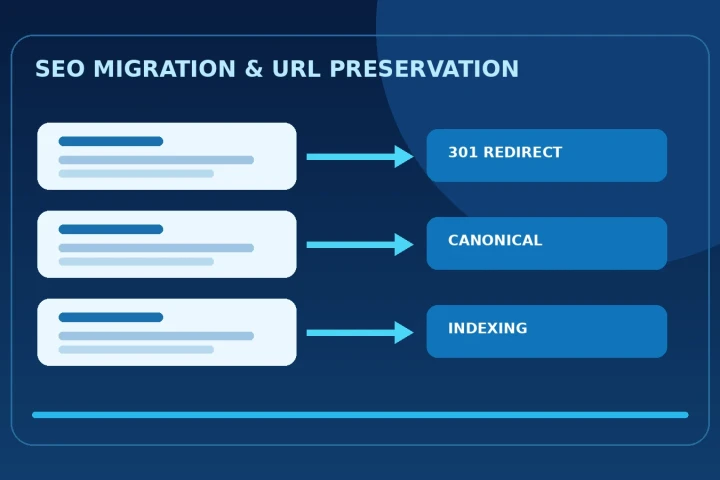
A practical search-preservation framework for Drupal rebuilds and upgrades, from the first URL inventory to post-launch crawl and conversion checks.
Why SEO belongs in the migration architecture
A Drupal migration can pass functional testing and still damage search performance. Pages load, editors publish and forms submit, yet organic traffic falls because URLs changed without suitable redirects, canonical tags point to staging, or valuable content disappeared during restructuring. Search engines evaluate the discoverable site, not the project team's intentions. SEO continuity therefore needs ownership from discovery through the first weeks after release.
At Drupal Builder, we treat search visibility as a measurable system of URLs, content, internal links, metadata, structured data and technical responses. The objective is not to promise unchanged rankings. It is to preserve signals where possible, document intentional changes and build monitoring that identifies problems quickly. That approach works for Drupal 7 rebuilds, Drupal 10 to 11 upgrades, multilingual migrations and redesigns that introduce a new information architecture.
Establish a baseline before touching the site
Start with exports from Google Search Console and analytics, supported by a crawl of the current production site. Record organic landing pages, search queries, impressions, clicks, conversions and device patterns over a meaningful comparison period. Note seasonal events and campaigns so later comparisons are not misleading. Capture current response codes, indexability, canonical tags, page titles, meta descriptions, headings and structured data for priority URLs.
Add business context to the inventory. A page with modest traffic may generate high-value enquiries, while a popular informational article may have little direct conversion value. Include important backlinks, paid landing pages and pages referenced in customer documentation. Segment the inventory by page type, language, business priority and proposed destination. This creates a practical basis for deciding what must be preserved and where changes are acceptable.
Decide whether URLs should change at all
For a Drupal core upgrade with no information architecture change, keeping existing URLs is usually the lowest-risk option. A new design or content model does not automatically require new aliases. When the site genuinely needs consolidation, renaming or restructuring, make each change deliberate. A URL should change because the destination better serves users and the content strategy, not because a new CMS happens to generate a different path.
Map each important old URL to a relevant destination. Distinguish one-to-one replacements, merged content, retired content and genuinely new pages. Avoid sending unrelated URLs to the homepage merely to remove 404 errors; that can confuse visitors and search engines. Where content is intentionally removed and has no appropriate replacement, a proper not-found or gone response may be more honest than an irrelevant redirect.
Build a redirect map that engineers can test
A redirect spreadsheet should contain source URL, destination URL, response code, page type, priority, language and approval status. Include query-string behaviour where necessary and account for trailing slashes, uppercase paths, old file extensions and legacy aliases. Drupal's Redirect module can help manage aliases and redirects, but complex rules may belong at the web server or edge layer. Choose the mechanism that is reliable, testable and appropriate for the hosting environment.
Permanent redirects are normally appropriate for URLs that have permanently moved. Test the final response, not only the first hop. Long chains increase latency and complicate debugging. Watch for loops, redirects to blocked pages, redirects across unintended languages and rules that overwrite important exceptions. A scripted check against the approved mapping should be part of release acceptance, with failures assigned to an owner.
Preserve metadata and search intent
During content modelling, define how titles, descriptions, canonical URLs, social sharing images and structured data will be generated. Some metadata can migrate directly; other fields need transformation because the new content types differ. Avoid filling every page with identical generic titles or descriptions. Preserve the intent and specificity of high-performing landing pages, while using the migration as an opportunity to correct clearly weak or duplicated metadata.
Review headings and body content as well. A page can retain its URL but lose relevance if important explanatory sections are removed during redesign. Compare priority pages before and after migration, including visible text, internal links, FAQs and calls to action. Maintain editorial quality and avoid mechanically repeating keywords. Search-focused writing should help users answer real questions and make decisions, not create an artificial density score.
Canonicals, indexability and robots controls
Canonical tags should identify the preferred indexable URL for equivalent content. Test their behaviour for paginated listings, filtered pages, translated content and duplicate aliases. Ensure staging URLs do not become canonical targets on production. Check that noindex directives used for testing are removed from pages intended for search, and that robots.txt does not accidentally block essential resources or sections after deployment.
Remember that robots.txt blocking and noindex directives serve different purposes. A crawler blocked from accessing a page may not see its noindex directive. Establish a deliberate policy for search results, administrative routes, preview content and parameterised pages. Use a crawl with JavaScript rendering where relevant to inspect what search engines can access. Treat robots and canonical configuration as test cases, not last-minute settings.
XML sitemaps and internal navigation
Generate XML sitemaps from the final indexable URL set, not from an outdated export. Exclude redirected, blocked and intentionally non-indexable URLs. Confirm correct absolute URLs and language alternates where applicable. Submit the sitemap through Search Console after launch and monitor whether discovery and indexing behave as expected. A sitemap is a discovery aid, not a guarantee that every listed page will be indexed.
Internal links are equally important. Audit menus, breadcrumbs, related-content components, cards, footer links and editorial body links. A redesign may change the hierarchy through which users and crawlers reach important pages. Preserve meaningful contextual links between service pages and related technical insights. At Drupal Builder, our upgrade service at /services/drupal-upgrades-migrations connects to detailed guidance such as /insights/drupal-10-to-11-upgrade-checklist and /insights/drupal-7-migration-cost-planning.
Handle multilingual migrations with particular care
Multilingual sites add complexity because language prefixes, translated aliases, hreflang annotations and translation relationships must remain coherent. Confirm whether the destination will preserve existing URL conventions. Map each source-language URL to the corresponding destination-language page, not to an arbitrary default-language equivalent. Validate language switchers and translated navigation. Ensure hreflang references point to valid, indexable pages and that each page's canonical strategy is compatible with its language structure.
Test representative content in every supported language, including languages with non-Latin scripts. Check encoding, transliteration, field fallback and untranslated media. If a translation is intentionally retired, document the handling and avoid silently presenting unrelated content as its replacement. Multilingual SEO failures can be difficult to spot when testing focuses only on the primary language.
Structured data should match visible content
Review schema markup for articles, organisations, breadcrumbs, products, FAQs and other relevant content types. The new implementation should generate structured data that reflects the actual page and follows current search-engine guidance. Do not carry forward unsupported or misleading markup simply because it existed in the legacy site. Validate representative templates with suitable testing tools and inspect the rendered output, not only configuration values.
Organisation information should remain consistent across the site, including name, logo, contact details and canonical domain. If the business changes branding during a migration, coordinate those changes carefully so the website, emails, social profiles and structured data do not disagree. Structured data can help systems understand content, but it does not guarantee rich results or higher rankings.
Protect images, documents and media URLs
Media often accounts for a large share of unnoticed migration defects. Audit image paths, document links, alt text, responsive image styles and downloadable assets. Determine whether old media URLs need to remain accessible or redirect to new locations. Check that migrated files have correct permissions and MIME types, and that thumbnails and image derivatives regenerate successfully. Broken assets affect users, accessibility and sometimes search discovery.
Prioritise media embedded in high-value pages and linked from external websites. Where a document has moved, use a meaningful redirect where appropriate. Avoid replacing every file with a generic download page. For private media, ensure the migration does not accidentally expose restricted files through a public path. Search continuity and security must be considered together.
Performance and accessibility influence the experience
A migration is a useful opportunity to improve Core Web Vitals and accessibility, but changes should be measured. Record baseline performance for representative templates and devices, then compare the new site under realistic conditions. Review image loading, caching, font delivery, JavaScript cost and server response times. Avoid introducing large visual effects that make a hero section attractive in screenshots but slow on mobile connections.
Accessibility improvements also support content usability. Use semantic headings, meaningful links, accessible forms, readable contrast and keyboard-friendly navigation. Test real journeys rather than relying only on automated scores. A faster and more accessible site may improve user outcomes, but performance work should not be presented as a guaranteed ranking shortcut.
Staging rules and pre-launch crawl
Staging must be protected from accidental public indexing and should not send real customer emails or trigger production integrations. Before release, crawl the staging site with the intended production settings simulated where practical. Compare its URL inventory against the approved map. Inspect titles, canonicals, meta robots, internal links, structured data, images, pagination and response codes. Record differences and decide whether each is expected.
Create an SEO acceptance checklist that names responsible reviewers. Developers validate redirect behaviour and technical responses; content owners approve migrated page substance; SEO reviewers assess metadata, indexing and high-priority journeys. The release should not depend on one person noticing an issue in the final hour. Use automated checks for repeatable rules and manual reviews for intent and content quality.
Launch-day validation
Immediately after deployment, verify DNS and TLS, crawlability, canonical URLs, redirect maps, robots directives, XML sitemaps and representative pages across templates and languages. Check that the analytics implementation is firing correctly and that conversion events have not changed meaning. Test contact forms and lead-routing destinations so business reporting remains reliable. Compare the production crawl against the final staging baseline and investigate unexpected differences.
Monitor server logs and Search Console for crawl errors, redirect problems and indexing anomalies. Prioritise issues affecting high-value landing pages, revenue journeys and large groups of URLs. Maintain a documented issue register with severity, owner and resolution. A controlled launch process turns search migration into an operational discipline rather than a series of reactive guesses.
The first 30 to 90 days after migration
Review search performance in context, using comparable time periods and acknowledging normal volatility. Segment by page type, directory, query intent and device. Monitor indexed URLs, submitted sitemaps, impressions, clicks, organic landing pages and conversions. Investigate sharp changes in a particular section before assuming the whole site has lost authority. Compare old and new URL sets to detect orphaned content or missed redirects.
Do not immediately reverse every editorial decision because rankings move. Separate technical faults from expected reprocessing and broader market changes. Fix demonstrable errors quickly, then allow search engines time to process stable signals. Continue monitoring beyond the first week, particularly for large sites and migrations with substantial URL changes. Keep the redirect inventory maintained as new content is published.
Common mistakes that cause avoidable losses
Recurring problems include launching with staging noindex tags, changing every URL unnecessarily, redirecting deleted pages to the homepage, omitting canonical checks, losing internal links and failing to migrate metadata. Another frequent mistake is treating the SEO audit as a separate report with no engineering owner. Findings are only useful when they become acceptance criteria and are verified in the final release.
The strongest prevention is an integrated plan: baseline, mapping, implementation, rehearsal, launch checks and post-launch monitoring. Make the plan proportional to risk. A straightforward Drupal 10 to 11 upgrade may need a smaller SEO workstream than a Drupal 7 rebuild with a new information architecture, but neither should omit basic validation.
How Drupal Builder approaches SEO-safe migrations
Drupal Builder combines content modelling, Drupal engineering and search continuity planning. We start with the existing site and business-critical journeys, document changes, test representative content and build repeatable release checks. For Drupal 7 projects, see /services/drupal-7-migration and /insights/drupal-7-migration-cost-planning. For Drupal 10 projects, review /insights/drupal-10-to-11-upgrade-checklist and our main /services/drupal-upgrades-migrations service.
If you are planning a migration, share the existing domain, target platform, approximate URL count, key markets and proposed launch window through /contact. A focused readiness review can identify the highest-risk SEO decisions before implementation begins. The objective is not a promise of fixed search positions; it is a defensible migration process that protects valuable content, reduces avoidable disruption and gives your team clear evidence after launch.