
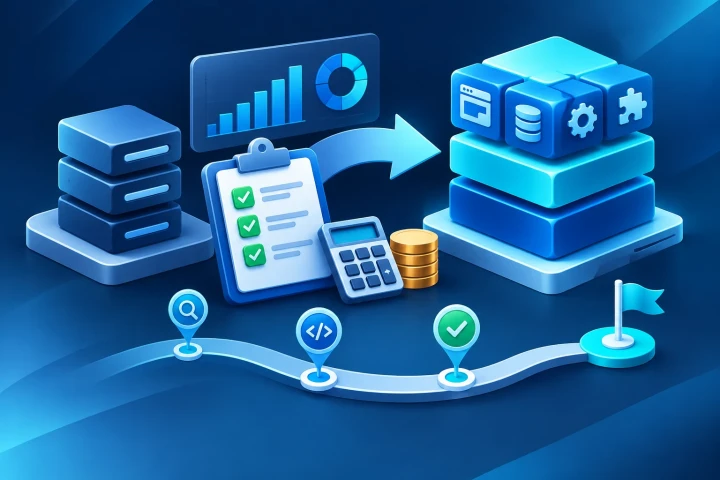
A practical budgeting framework for Drupal 7 owners: what drives migration effort, where surprises occur, and how to compare proposals on delivery risk rather than headline price.
Why Drupal 7 migration is a business project, not a version update
Drupal 7 reached end of life in January 2025. That matters because an unsupported application accumulates operational exposure even when its homepage still looks healthy. But replacing Drupal 7 is not simply installing the newest core and running an update script. Drupal 7 and modern Drupal differ in architecture, configuration, entity handling, themes and common implementation patterns. A responsible project treats the destination as a modern application and moves the valuable content, user data and behaviours into it deliberately. The budget should therefore reflect what the website actually does for the organisation, not only how many pages appear in a sitemap.
For Drupal Builder, the first conversation is about outcomes. Which customer journeys must survive unchanged? Which editorial processes are slow? Are there unsupported integrations that should be retired? Does the website earn leads, process transactions, deliver member services or support multiple languages? Those answers determine whether the work is primarily a structured content migration, a complex platform rebuild or a broader service redesign. We would rather identify a difficult integration before a proposal is signed than discover it during launch week.
The six factors that drive migration cost
The largest cost drivers are usually content complexity, custom functionality, integrations, design requirements, quality assurance and the constraints around launch. A small site with many deeply connected entities can require more engineering than a large publication with straightforward article types. Equally, an apparently simple contact form may involve CRM routing, spam controls, consent records, confirmation emails and business rules that are invisible to a casual visitor.
Content complexity includes the number of content types, field structures, taxonomies, reusable paragraphs, media relationships, translations and revision histories. Custom functionality includes bespoke modules, editorial permissions, workflows and unusual access rules. Integrations may involve authentication providers, marketing automation, payment services, search platforms, data warehouses or internal APIs. Design requirements range from carefully reproducing the existing interface to building a new design system. Testing must cover both visible pages and less obvious permissions, imports, scheduled tasks and error states. Finally, cutover constraints determine whether the site can tolerate a short content freeze or needs a more involved incremental migration.
Start with an inventory rather than a guess
A useful discovery exercise produces a compact evidence pack: Drupal core and module inventory, database size, content-type matrix, representative content samples, sitemap, analytics baseline, critical URLs, integration diagram and list of user roles. Review what is actively used rather than assuming every installed module deserves a replacement. A forgotten custom module might still be called by a nightly job; a frequently used editorial feature might not have an obvious equivalent in modern Drupal. Both deserve explicit investigation.
We classify features as retain, replace, improve or retire. Retain means the business behaviour must remain available, though its implementation may change. Replace means a supported modern component can provide the outcome. Improve identifies a justified change that should be estimated separately. Retire removes obsolete complexity after stakeholders confirm it is safe. This classification protects budgets from being inflated by unnecessary one-for-one recreation, while ensuring essential behaviour is not omitted from the scope.
A realistic migration estimate has separate workstreams
A transparent estimate separates discovery and architecture, environment setup, content modelling, migration development, custom feature remediation, front-end implementation, integration work, quality assurance, search continuity, deployment and post-launch support. Each workstream should identify assumptions and dependencies. For example, migration scripts may be straightforward if field mapping is approved early, but costly if editorial teams repeatedly change the destination model during implementation.
We recommend asking for effort ranges and explicit contingency rather than an unexplained single figure. A range is not an excuse for vague delivery: it should show which unknowns create variability and what evidence would narrow them. A proposal should also state what is excluded, such as rewriting every legacy article, redesigning the brand, licensing third-party services or repairing historic data inconsistencies. Clear exclusions prevent unpleasant surprises and make competing proposals more comparable.
Do not estimate solely by page count
Page count is useful for understanding scale, but it is a weak proxy for engineering effort. Ten thousand articles with a consistent schema can often be migrated more predictably than five hundred records spread across custom entity types with inconsistent references. The cost of migration also depends on how much content must be manually reviewed. Imported data can be structurally valid yet editorially wrong: missing alt text, broken embedded media, stale links, unexpected formatting and incorrectly mapped categories may all require human decisions.
Sample-based analysis improves confidence. Select ordinary, unusual and business-critical records from each content type. Test a small migration early and record defects by category. If most issues are systematic, a transformation rule may solve them efficiently. If exceptions are genuinely individual, budget editorial review time instead of pretending automation will fix everything. This is where a short technical spike can save substantial money later.
The Drupal 7 to modern Drupal content model
Modern Drupal offers strong structured content capabilities, but those capabilities should be used deliberately. Start with user journeys and editorial tasks, then define entities, fields, taxonomies, media and reusable components. Preserve stable identifiers where useful for traceability, but avoid carrying forward accidental complexity. Consider how the new model will support content governance, search filters, accessibility and future integrations. An elegant destination schema reduces both migration effort and ongoing maintenance cost.
Mapping documents should include the source field, destination field, transformation logic, default behaviour, handling for missing values and verification method. Relationships need particular attention: a migrated article may refer to authors, terms, images and related content that have not yet been imported. Establish migration ordering and stable mappings so repeated test runs are predictable. The goal is a process that can be rerun and audited, not a one-off manual import that nobody can explain afterward.
Budget for custom modules and integrations honestly
Custom code is frequently the difference between a routine migration and a complex rebuild. Some Drupal 7 functionality can be replaced by maintained contributed modules or native modern Drupal capabilities. Other functions require new code because the original business rule remains important. Assess each custom module for current usage, security sensitivity, data dependencies and testing requirements. Avoid automatically porting old implementation patterns into a newer framework.
Integrations deserve contract-level analysis. Identify endpoints, authentication methods, rate limits, payloads, error handling, retries and ownership. If an external system is also changing, coordinate those changes explicitly. A migration that works with test credentials but fails under production traffic is not complete. Include integration tests and failure-path checks in the estimate, particularly for payment, identity, fulfilment and lead-routing workflows.
Design reuse versus redesign
A visual refresh can be valuable, but it is not a technical prerequisite for every migration. Reusing established layouts and brand patterns may reduce stakeholder approval cycles and limit conversion risk. A redesign adds discovery, UX design, accessibility review, component implementation and potentially new content production. When the business wants both outcomes, separate the platform migration from optional experience improvements so decision-makers understand the incremental cost.
Drupal Builder generally favours reusable components, documented design tokens and accessible templates over a collection of page-specific exceptions. This approach improves consistency across service pages, landing pages and editorial content. It also reduces the cost of future changes: an approved component can be updated centrally rather than fixed in dozens of templates. A new platform should be easier to operate, not merely newer underneath.
SEO continuity is a budget line, not an afterthought
Organic search performance can be damaged by a technically successful migration. Before implementation, export priority landing pages, current aliases, canonical URLs, metadata, indexability rules, XML sitemap locations, internal-link patterns and high-value backlinks. Map legacy URLs to their closest relevant destinations. Use permanent redirects for genuinely moved pages, avoid redirect chains and do not route every retired URL to the homepage. Preserve intent and content relevance wherever possible.
After launch, check server responses, canonical tags, structured data, robots directives, XML sitemaps and Search Console coverage. Monitor organic landing pages and conversions, not just total sessions. Where URLs remain unchanged, that stability is an advantage; where information architecture changes, document the rationale. Search visibility cannot be guaranteed, but a disciplined baseline and monitoring plan make problems easier to diagnose and correct.
Security, privacy and permissions need their own tests
A migration moves more than published pages. It may move accounts, role assignments, unpublished content, private files and personal information. Decide which data is legally and operationally necessary to retain. Review password and authentication migration approaches carefully, especially where single sign-on or legacy hashing is involved. Validate that private files remain private, editorial permissions match policy and anonymous users cannot reach administrative or draft content.
Use anonymised or appropriately protected data in non-production environments. Limit access to backups and migration exports, and document their retention. Security testing should include file access, role escalation, form validation, dependency vulnerabilities and third-party integrations. These checks can be missed when a project is scoped purely as a visual website replacement, yet they are central to a responsible release.
Build a migration rehearsal into the plan
The first import is a learning exercise; the final import should be a rehearsed operation. Build repeatable scripts, record their execution time and verify record counts, field values, references and media. Run representative content reviews with editors. Check whether content can continue changing on the old site during the project and how those changes will be captured before cutover. The answer may involve a content freeze, delta migration or carefully coordinated publishing window.
A rehearsal should produce a cutover runbook with owners, commands, timing, verification steps and rollback triggers. Test what happens if the import fails halfway through. Define whether the team can safely rerun a migration without duplicating records. Establish who decides whether the launch proceeds. These practical details often distinguish a predictable project from one that becomes an emergency at the last moment.
What should a migration proposal contain?
Ask prospective partners for an architecture summary, feature inventory, content mapping approach, assumptions, delivery milestones, acceptance criteria, testing responsibilities and a clear launch plan. The proposal should identify what the client must provide: access, content decisions, design approvals, stakeholder availability and third-party contacts. It should also explain how change requests will be assessed and how risks are escalated.
A useful proposal names the people responsible for engineering, editorial validation and release decisions. It should explain what will be delivered at the end: source code, configuration, documentation, deployment instructions, credentials handover and an agreed support period. Low headline pricing is not good value if it excludes the activities needed to launch safely. Compare completeness and confidence as well as cost.
Timeline planning and organisational readiness
A migration schedule should be driven by dependencies, not an arbitrary calendar promise. Discovery must establish the destination architecture before complex field mappings are finalised. Integrations may need vendor support windows. Editorial teams require time to review sample imports and prepare replacement content. Security and accessibility findings may trigger additional work. Leave room for regression testing after changes, rather than scheduling development until the evening before launch.
Parallel work can shorten elapsed time, but it creates coordination overhead. Front-end development, content modelling and infrastructure setup can proceed together when interfaces are agreed. Migration transformations and editorial validation should feed back into one another. Establish a decision log so scope changes remain visible. A realistic schedule is one the delivery team can explain and reproduce, not simply the earliest date a sales proposal can display.
Post-launch support and total cost of ownership
Migration cost is only part of the financial picture. Consider ongoing core and contributed-module updates, hosting, backups, monitoring, security response, performance optimisation, accessibility maintenance and editorial training. Modern Drupal reduces the risks associated with an unsupported platform, but it still requires active maintenance. A clear support model helps the organisation protect its investment after the migration team leaves.
Plan a post-launch observation period with named owners for defects, analytics and content issues. Separate urgent regressions from future enhancements. Review whether editors can complete common tasks without developer assistance. Measure improvements in reliability, content publishing speed and user experience where baselines exist. The best migration outcome is a platform that supports the organisation's next several years of work, not simply a successful launch announcement.
Practical next steps with Drupal Builder
Start by sharing your current Drupal 7 URL, the main purpose of the site, approximate content volume, important integrations and any deadline. Drupal Builder can help structure a readiness assessment and identify the work that needs deeper investigation. Explore our Drupal 7 migration service at /services/drupal-7-migration and our wider upgrade and migration service at /services/drupal-upgrades-migrations. For SEO planning, read /insights/drupal-migration-seo-checklist; for platform version strategy, see /insights/drupal-12-readiness-guide.
A sensible first deliverable is a decision-ready assessment: a concise architecture direction, prioritised risks, sample migration findings, indicative workstreams and questions that remain open. That gives stakeholders a defensible basis for budgeting without pretending every unknown can be resolved from a homepage screenshot. Contact Drupal Builder at /contact to discuss a tailored discovery scope.